Features
Everything below is in the app today. Help inside the app explains each one step by step.
Your day
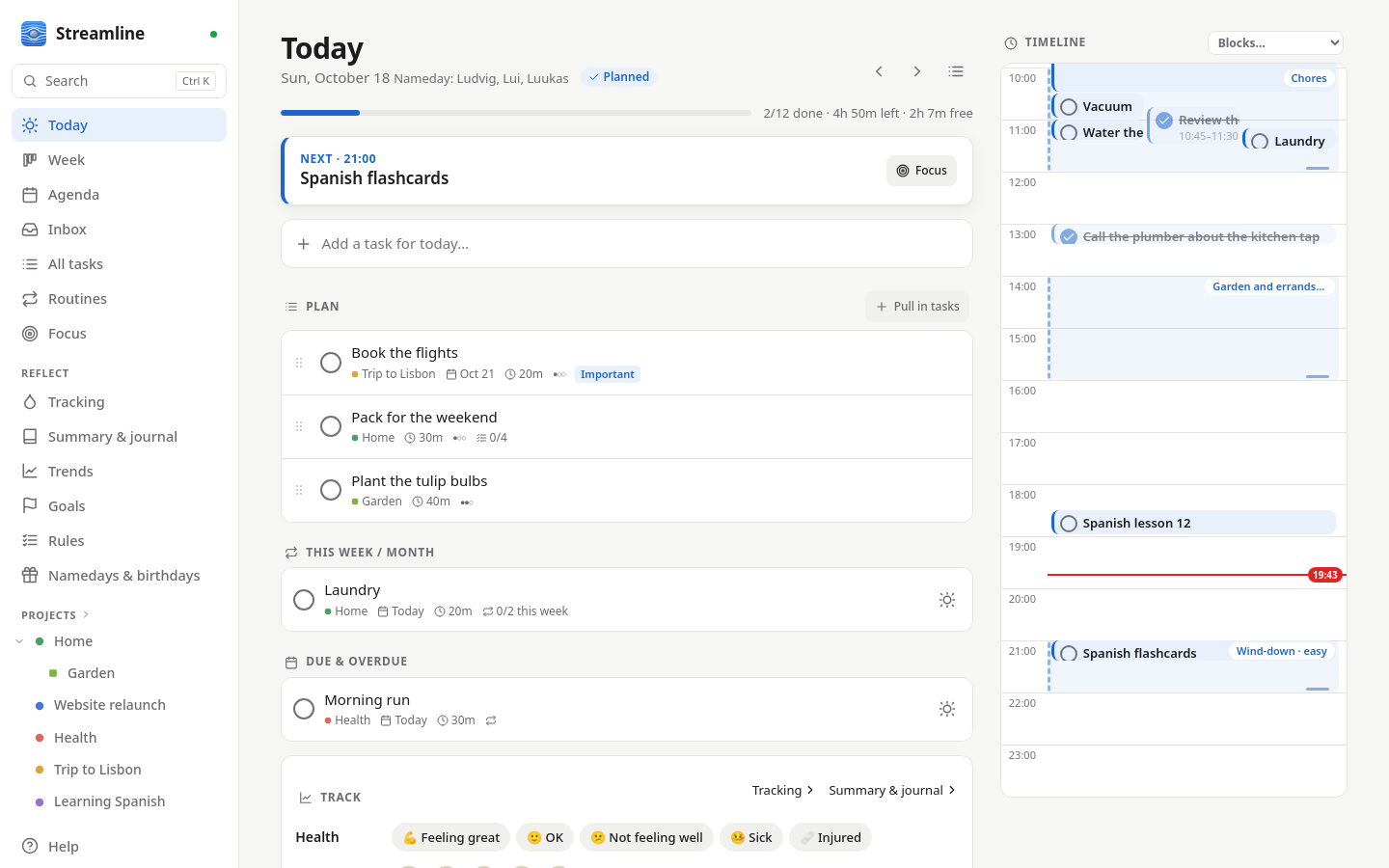
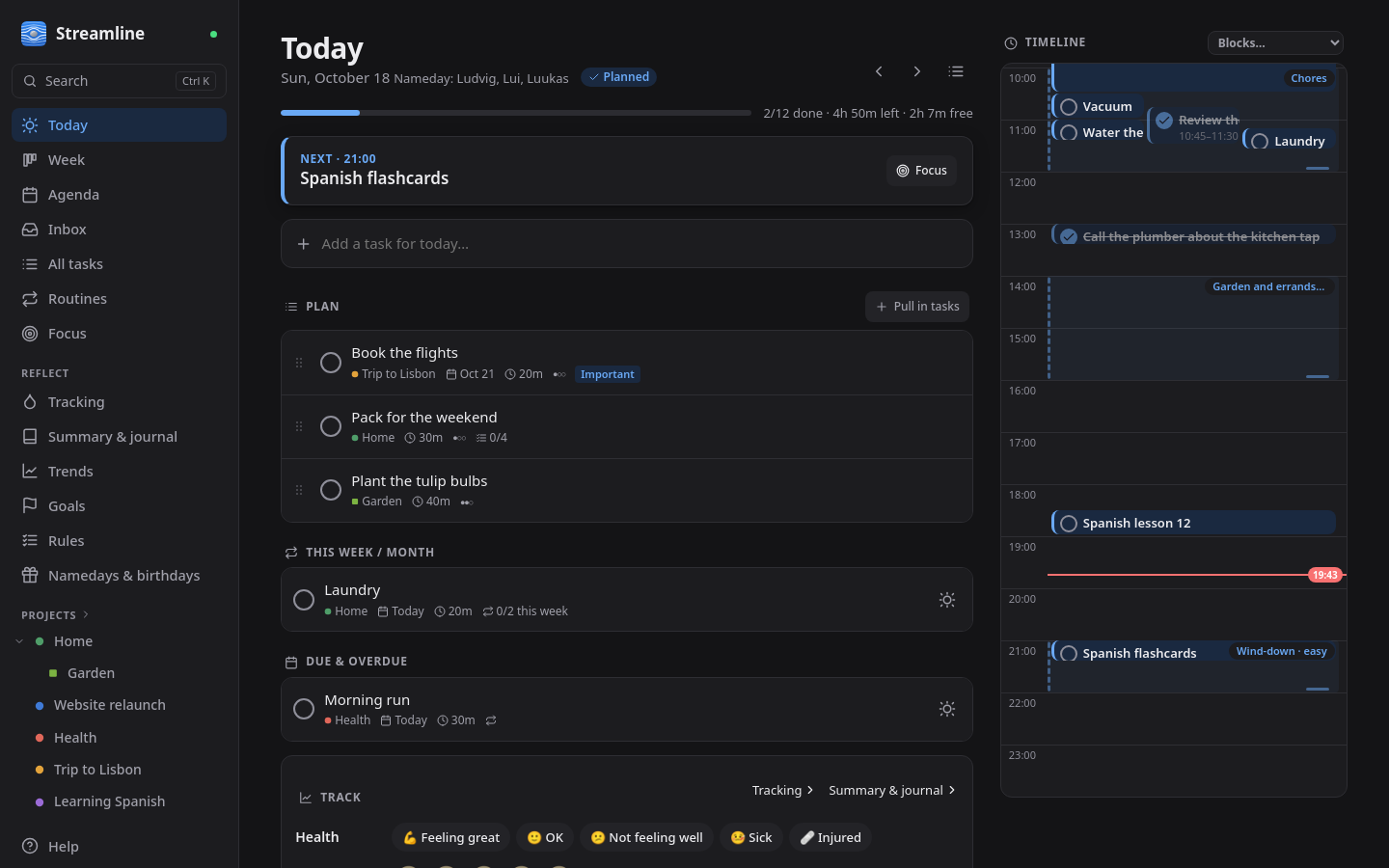
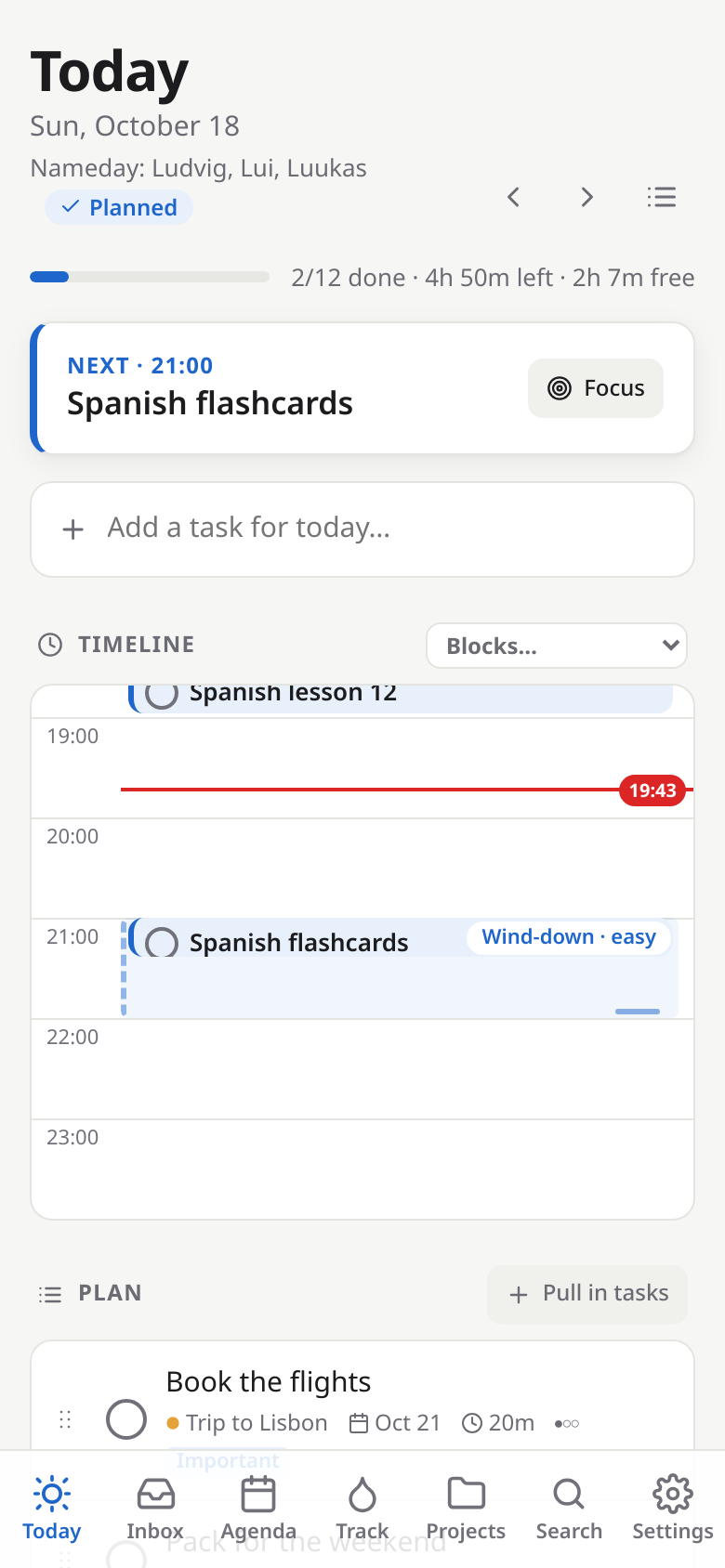
- Today view (the landing page): a timeline with a "now" line, an ordered plan, what's up next, due and overdue tasks, progress, and browsing other days.
- Daily planning ritual: a five-step planner (review → look ahead → pick → arrange → confirm) for tomorrow in the evening or today in the morning, with planned vs. free time, an overbooking warning, a reminder at your planning time and a banner until the day is planned.
- Pull tasks into a day from the ready stack, give them a time and duration, or move them to another day.
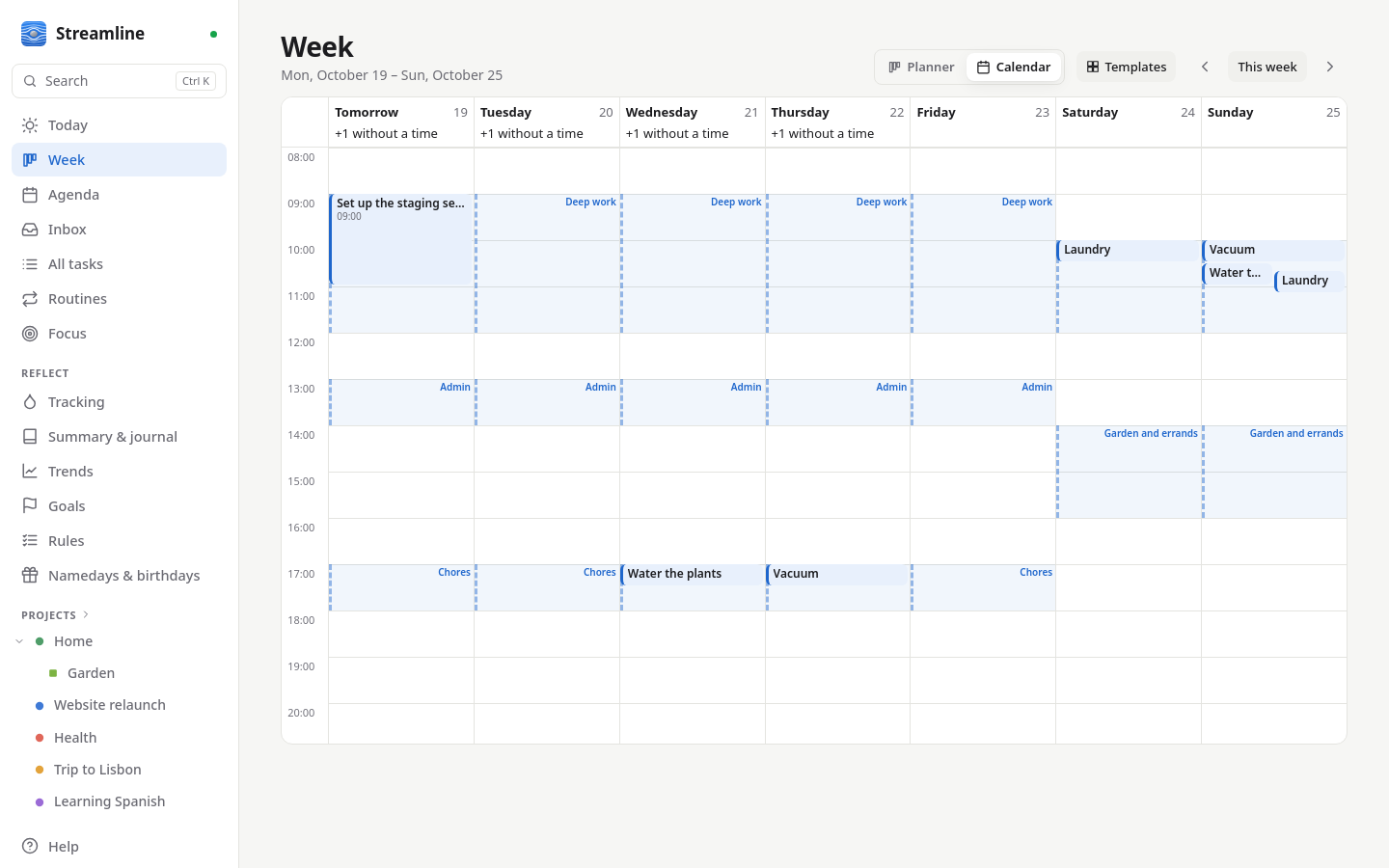
- Week view: a planner with a column per day and each day's load, or the week on an hour grid with events, timed tasks and time blocks; drag tasks between days and times.
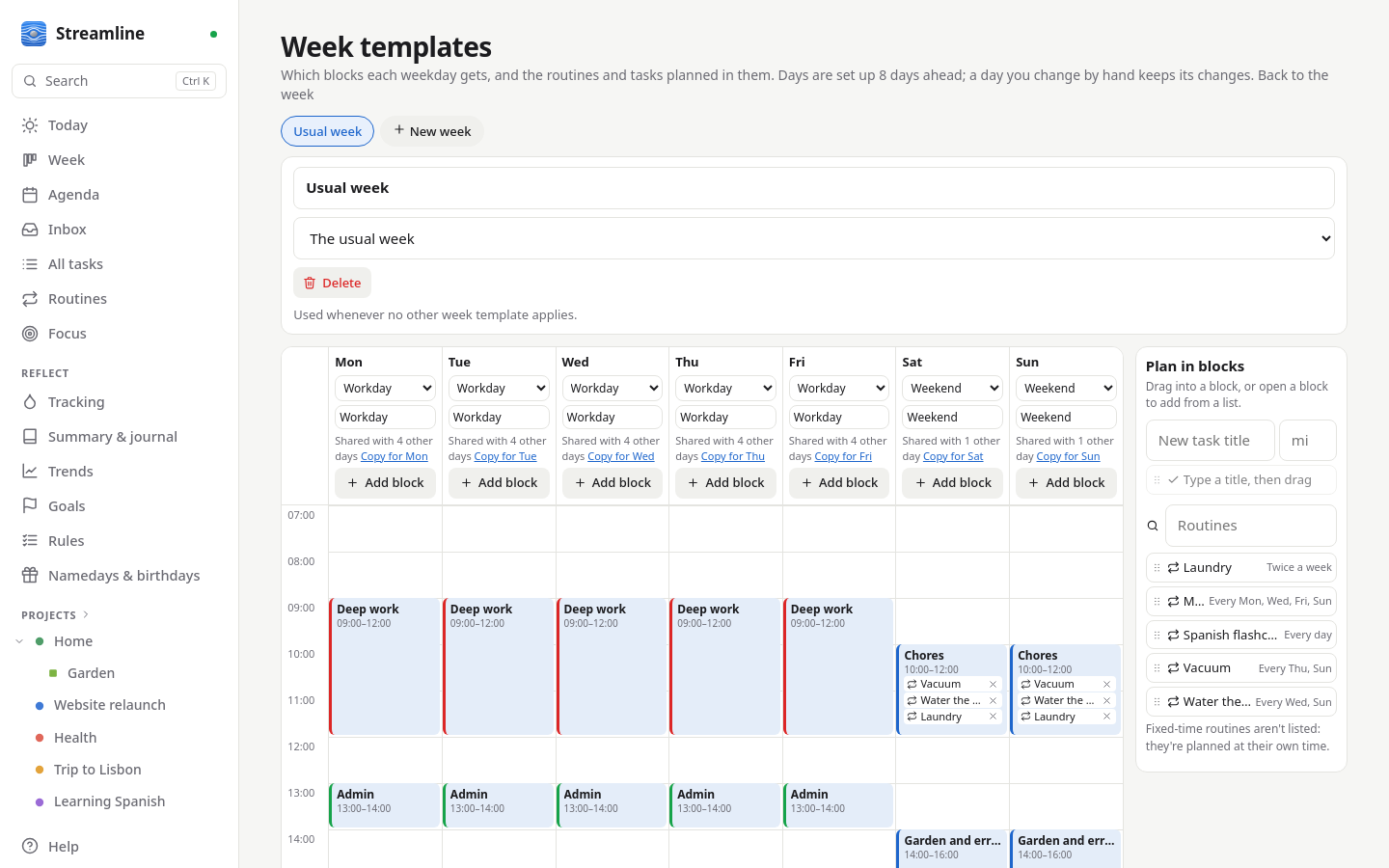
- Time blocks and week templates: day templates with themed blocks (deep work, admin, chores…) that can hold routines and one-off tasks, planned into the block on each day; several week templates (usual, alternating, for dates), edited on an hour grid and previewed on the Week page; overlap warnings with quick fixes; an explainable "suggest times" in the planner.
- End of day by task type: Carry on tasks roll over to the next day (with a "carried N days" badge), Expires tasks are marked missed. The day ends at a time you choose (default 04:00).
- Focus timer: a distraction-free view of one task with a Pomodoro timer (25/5/15 by default) that runs on the server, so it's the same on every device; focus time is added to the task.
- Realistic estimates: learned from the focus time on finished tasks; the task sheet suggests a better estimate when yours are usually off, and planning can count with them.
- Morning digest: one message each morning (push, ntfy or in the app) with the plan, fixed times, what's due and what to check on.
- Print the day: an A4 sheet with tick boxes and a QR code; scan it later to tick off what was done on paper.
Tasks and projects
- Projects, subprojects (any depth) and an inbox; a task can also be listed in several projects. Complete with undo, archive, and keep not-yet-started projects as quiet ideas. Every project gets its own colour and shape.
- Quick-add: type a task's steps while adding it, or add it as already done, as waiting for results, or as ongoing. Default tasks are suggested as you type, checklist included.
- Forgot to tick it off? Change when a task was done in its sheet, drag it to the right day on the Week planner, or tick it on that day's page.
- Process the inbox one item at a time, with one key per decision.
- Search and keyboard shortcuts: Ctrl+K (or /) finds tasks, projects, routines and pages and acts on a task; single-key shortcuts for the common actions (? lists them).
- Task details: notes, due date, estimate, difficulty, importance and urgency, place and task type; checklists whose last tick completes the task.
- Views: lists, a board (columns by status, project, difficulty or type) or an urgent/important matrix; drag cards to change them. Each place remembers its view.
- Drag and drop with mouse, touch (long-press) or keyboard: reorder, move to projects, schedule on the timeline, resize and unschedule.
- Waiting for results: park a task whose work is handed off (a training run, a reply) with a check-back time; it asks for nothing meanwhile, then reminds you.
- Ongoing tasks: things you keep at over a period (reading a book): shown every day of their period, ticked as "worked on it today", counting the days, finished by hand.
- Places: give tasks a place (Home, Cottage, Town…); pick where you are, or let GPS detect it, and lists show what can be done there.
Routines and chores
- Routines: on a schedule (any iCalendar rule), at a fixed time, or N times a week/month. Pick the weekdays straight away. A routine that isn't done is missed; a chore carries on until done, as one task that rolls on. Nothing can be ticked off before its day. Each occurrence is a normal task; skip or edit one, or change the routine from a date on with history kept; streaks per routine.
- Prerequisites and multi-step chores: tasks can wait for other tasks (plus an extra wait, e.g. while the washing machine runs); chores like laundry (wash → dry → fold) with variants per load; only the current step shows as ready.
Household
- Groups: share projects, tasks, routines and goals with a group; anyone can complete a shared chore (who did is shown), and changes appear live for everyone. Day plans, focus time, journals and logs stay personal.
- Namedays and birthdays: a shared nameday calendar (the official Estonian list by default); everyone picks their own people and gets tasks like "buy a present" → "wish a happy birthday".
- Sharing with other Streamline servers: someone with their own Streamline can work on one of your projects without an account on yours. See the guide.
- Multiple users (admin-created) and per-device API tokens.
Calendar and integrations
- Your calendar: any CalDAV calendar (Nextcloud, Fastmail, iCloud, Radicale, …). Events appear on the timeline and in a week agenda, and busy time is subtracted from your free time. Put an event into a project and attach todos to it. Optionally write your timed tasks back to a calendar as busy time.
- GitHub, GitLab and Gitea/Forgejo: issues and pull requests assigned to you, review requests and mentions arrive as tasks and complete themselves when closed or merged.
More in Integrations.
Reflect and grow
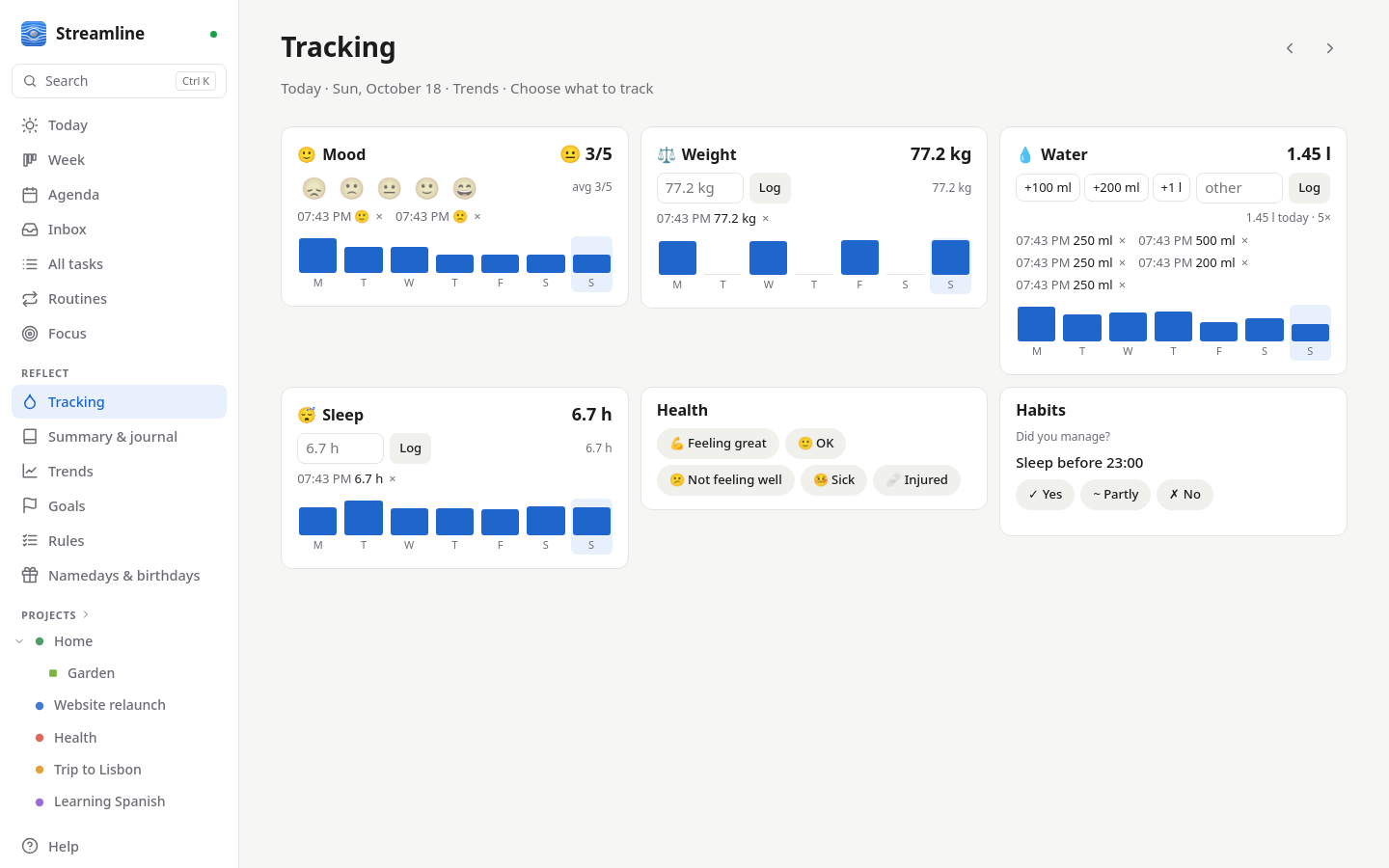
- Summary, journal and tracking: a day summary (planned vs. done, routines, events, focus), a private journal with prompts, a daily health check-in, trend charts, CSV import/export and a full JSON export.
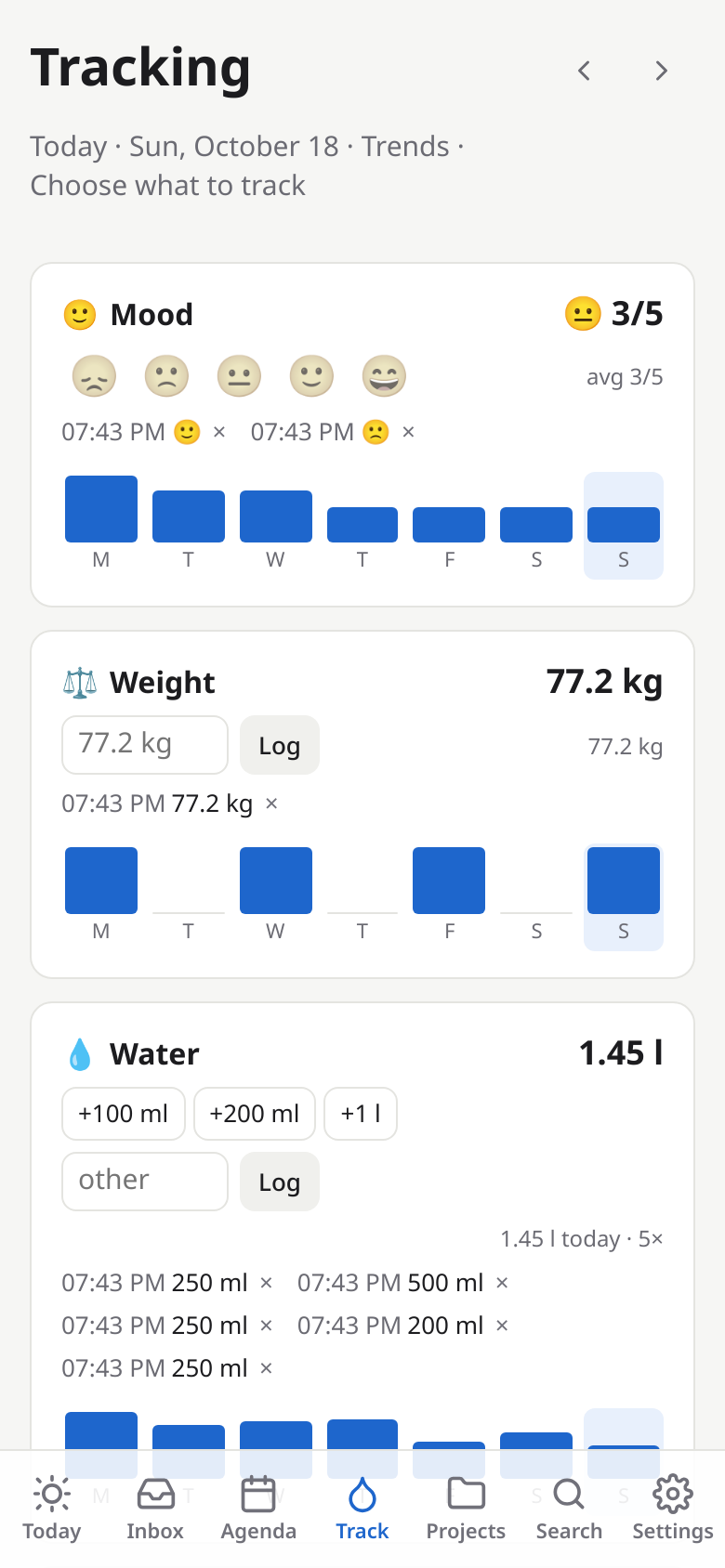
- Tracking page: mood, weight, water (+100 ml, +200 ml, +1 l taps that add up) and your own metrics, each with an emoji, quick amounts and an optional reminder; choose and order them in Settings.
- Activity log: every day records what happened, in time order.
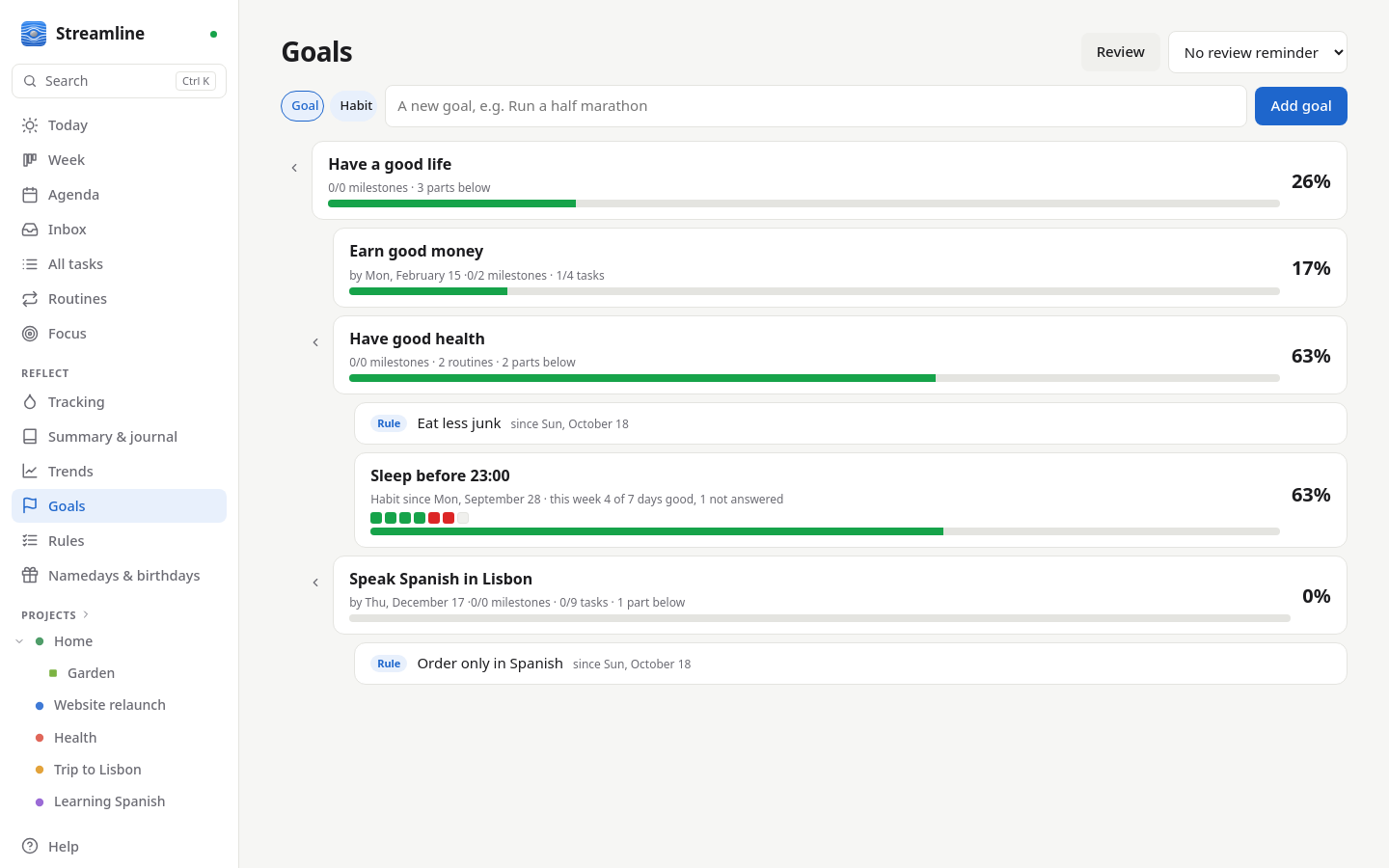
- Long-term goals: a tree of goals ("have a good life" → "have good health"), with milestones, linked projects, tasks and routines, and progress that fills up from the parts below (or set by hand).
- Habit goals: things to keep up day by day. Each day you answer yes, partly or no; the Goals page shows the week, the streak and the share of good days.
- Rules: rules you keep for yourself, like "eat less junk", for good or until a date, under any goal and listed in the weekly review.
- Weekly review: the week in numbers, loose ends to plan or drop, waiting items, projects without a next step, a note (or verdict, for habits) per goal, then the coming week.
Everywhere
- Live sync: changes appear instantly on all your devices.
- Installable app with notifications (over HTTPS): add it to your phone's home screen and get reminders even when it's closed; read your day offline.
- Linux desktop app that keeps working offline, or runs on one computer without a server. See Desktop app.
- Daily automatic backups and a versioned JSON API.
- Built-in help and a guided tour on first sign-in.
Screenshots
The screenshots show made-up example data.